# GlobalProtect-openconnect
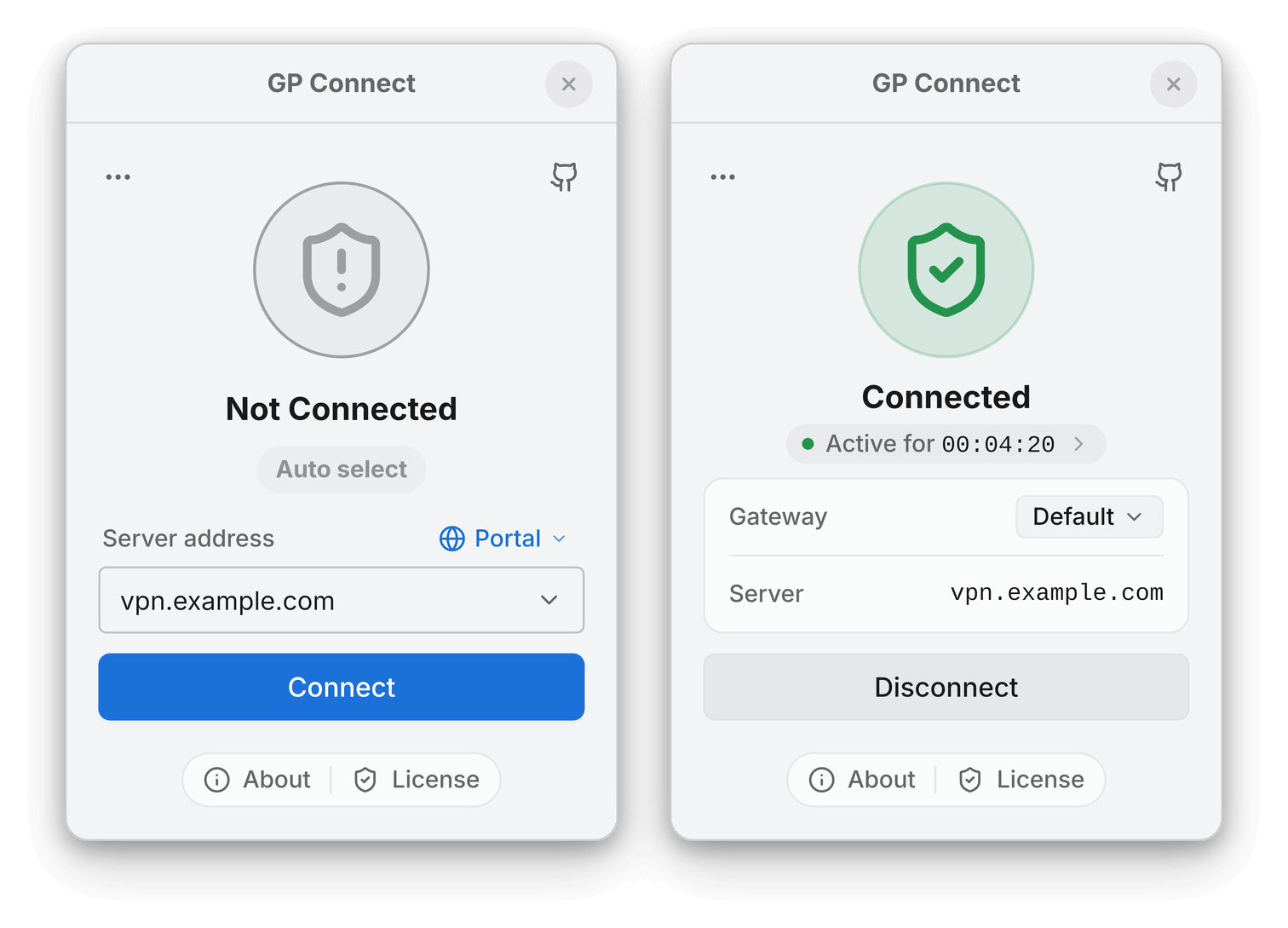
**GP Connect** is a GlobalProtect VPN client built on OpenConnect. The desktop app runs on Windows, macOS, Linux, FreeBSD, and OpenBSD. The command-line client is `gpclient`.
GP Connect is an independent project. It is not affiliated with or endorsed by Palo Alto Networks, Inc.
## Features
- Browser-based SSO and MFA, including security keys supported by the identity provider. Client certificates are also supported.
- System VPN tunnel or local SOCKS5 and HTTP proxies for individual applications.
- Multiple saved portals and direct gateway connections.
- Built-in host information profile (HIP) reporting and support for custom HIP scripts.
- System tray controls and automatic connection on launch.
- Native Shell, a lightweight desktop interface for supported Linux systems.
## Installation
| Platform | Installation instructions |
| --- | --- |
| Windows and macOS | [Windows](#windows) · [macOS](#macos) |
| Linux | [Alpine](#alpine-linux) · [Arch / Manjaro](#arch-linux--manjaro) · [Debian / Ubuntu](#debian--ubuntu) · [Fedora / RHEL](#fedora--rhel) · [Gentoo](#gentoo) · [NixOS](#nixos) · [openSUSE](#opensuse) · [Other distributions](#other-distributions) |
| BSD | [FreeBSD](#freebsd) · [OpenBSD](#openbsd) |
| Container | [Docker](#docker) |
### Windows
Download the Windows installer for [x64](https://github.com/yuezk/GlobalProtect-openconnect/releases/download/v3.7.1/GPConnect_3.7.1_windows-x64-setup.exe) or [ARM64](https://github.com/yuezk/GlobalProtect-openconnect/releases/download/v3.7.1/GPConnect_3.7.1_windows-arm64-setup.exe). Run it and approve the administrator prompt.
### macOS
Requires Apple silicon and macOS 13+.
#### Homebrew
```bash
brew install --cask yuezk/gp-connect/gp-connect
```
#### DMG installer
Open the [Apple silicon DMG](https://github.com/yuezk/GlobalProtect-openconnect/releases/download/v3.7.1/GPConnect_3.7.1_arm64.dmg) and drag GP Connect into Applications.
### Alpine Linux
Download the APK for [x86_64](https://github.com/yuezk/GlobalProtect-openconnect/releases/download/v3.7.1/globalprotect-openconnect-3.7.1-r1-x86_64.apk) or [ARM64](https://github.com/yuezk/GlobalProtect-openconnect/releases/download/v3.7.1/globalprotect-openconnect-3.7.1-r1-aarch64.apk).
```bash
sudo apk add --allow-untrusted globalprotect-openconnect-*.apk
```
Enable the Alpine `community` repository for WebKitGTK.
### Arch Linux / Manjaro
Install the stable package from the Extra repository.
```bash
sudo pacman -S globalprotect-openconnect
```
For the development version from the main branch, use the AUR package.
```bash
yay -S globalprotect-openconnect-git
```
### Debian / Ubuntu
#### Ubuntu PPA
```bash
sudo add-apt-repository ppa:yuezk/globalprotect-openconnect
sudo apt-get update
sudo apt-get install globalprotect-openconnect
```
#### Debian or Ubuntu release package
Download the DEB for [amd64](https://github.com/yuezk/GlobalProtect-openconnect/releases/download/v3.7.1/globalprotect-openconnect_3.7.1-1_amd64.deb) or [arm64](https://github.com/yuezk/GlobalProtect-openconnect/releases/download/v3.7.1/globalprotect-openconnect_3.7.1-1_arm64.deb).
```bash
sudo apt install ./globalprotect-openconnect_*.deb
```
### Fedora / RHEL
Enable the COPR repository:
```bash
sudo dnf copr enable yuezk/globalprotect-openconnect
sudo dnf install globalprotect-openconnect
```
### Gentoo
Add the overlay:
```bash
sudo emerge --ask app-eselect/eselect-repository dev-vcs/git
sudo eselect repository add yuezk git https://github.com/yuezk/gentoo-overlay.git
sudo emerge --sync yuezk
```
On glibc systems, install the prebuilt package:
```bash
sudo emerge --ask net-vpn/globalprotect-openconnect-bin::yuezk
```
The source package is `net-vpn/globalprotect-openconnect::yuezk`. For a headless installation, see the [CLI-only overlay instructions](https://github.com/yuezk/gentoo-overlay#cli-only).
If Portage requests keyword or USE flag changes, review and apply them, then rerun the install command.
### NixOS
Add the flake to your `flake.nix`:
```nix
{
inputs.globalprotect-openconnect.url = "github:yuezk/GlobalProtect-openconnect";
outputs = { self, nixpkgs, globalprotect-openconnect, ... }: {
nixosConfigurations. = nixpkgs.lib.nixosSystem {
modules = [
globalprotect-openconnect.nixosModules.default
{
programs.globalprotect-openconnect.enable = true;
}
];
};
}
}
```
Apply changes:
```bash
sudo nixos-rebuild switch
```
### openSUSE
Packages are available on the [openSUSE Build Service](https://build.opensuse.org/package/show/home:yuezk/globalprotect-openconnect). Follow the [OBS instructions](https://software.opensuse.org/download.html?project=home%3Ayuezk&package=globalprotect-openconnect) for your distribution.
### Other Distributions
Download the archive for [x86_64](https://github.com/yuezk/GlobalProtect-openconnect/releases/download/v3.7.1/globalprotect-openconnect_3.7.1_x86_64.bin.tar.xz) or [ARM64](https://github.com/yuezk/GlobalProtect-openconnect/releases/download/v3.7.1/globalprotect-openconnect_3.7.1_aarch64.bin.tar.xz).
```bash
tar -xJf globalprotect-openconnect_*.bin.tar.xz
cd globalprotect-openconnect_3.7.1
sudo make install
```
### FreeBSD
Download the [FreeBSD package for amd64](https://github.com/yuezk/GlobalProtect-openconnect/releases/download/v3.7.1/globalprotect-openconnect-3.7.1-freebsd-amd64.pkg).
```bash
sudo pkg install ./globalprotect-openconnect-*-freebsd-*.pkg
```
### OpenBSD
Download the [OpenBSD package for amd64](https://github.com/yuezk/GlobalProtect-openconnect/releases/download/v3.7.1/globalprotect-openconnect-3.7.1-openbsd-amd64.tgz).
```bash
doas pkg_add -D unsigned ./globalprotect-openconnect-*-openbsd-*.tgz
```
### Docker
Run the CLI in the project’s Alpine container. Replace `vpn.example.com` with your portal address.
```bash
docker run --rm -it --cap-add=NET_ADMIN --device=/dev/net/tun \
yuezk/globalprotect-openconnect:latest \
connect vpn.example.com --browser manual
```
On Linux, add `--network host` to apply VPN routes to the host network.
## Usage
### Desktop
Open **GP Connect**, enter your GlobalProtect portal address, and sign in. On Linux and BSD, you can also launch the app with `gpclient launch-gui`.
### Command line
On Linux, BSD, or macOS with Homebrew, replace `vpn.example.com` with your portal address. Use `doas` instead of `sudo` on OpenBSD.
```sh
sudo gpclient connect vpn.example.com
```
| Command | Action |
| --- | --- |
| `sudo gpclient disconnect` | Disconnect |
| `sudo gpclient connect vpn.example.com --browser` | Sign in with a browser |
| `sudo gpclient connect gateway.example.com --as-gateway` | Connect directly to a gateway |
| `sudo gpclient connect vpn.example.com --hip` | Connect with HIP reporting enabled |
See `gpclient connect --help` for all connection options.
### Connecting over SSH
For portals that allow external-browser sign-in, run this command on the remote host:
```sh
sudo gpclient connect vpn.example.com --browser manual
```
Open the printed URL in a browser that can reach the remote host. After signing in, paste the callback URL into the SSH terminal.
## Troubleshooting
- **Blank Linux window.** Quit GP Connect and run `gpclient launch-gui --interface tauri`. To switch back, quit and rerun with `--interface nsh`.
- **Reporting a problem.** Run `gpclient diagnostics` and include the relevant output in your issue. See the [diagnostics guide](docs/diagnostics.md) for details.
## Building from Source
### Prerequisites (Linux)
- [Rust](https://www.rust-lang.org/tools/install) 1.91 or later
- Build tools: `make`, `pkg-config`, `autoconf`, `automake`, `libtool`, `gettext`
- Libraries: `gmp`, `gnutls`, `nettle`, `libxml2`, `zlib`, `lz4`, `p11-kit`, `libsecret`, and `webkit2gtk-4.1` for the embedded sign-in window and download helper. Native Shell also requires GTK 4.14 or later.
- Polkit (`pkexec`) for privileged tunnel setup
For BSD build requirements, see [Building from Source on FreeBSD and OpenBSD](docs/bsd-source-build.md).
### Build Steps
```bash
git clone --recursive https://github.com/yuezk/GlobalProtect-openconnect.git
cd GlobalProtect-openconnect
make build
sudo make install
```
**Build Options:**
- `INCLUDE_GUI=1` – Download and install the matching desktop application bundle.
- `BUILD_WEBVIEW_AUTH=0` – Disable embedded browser authentication in both `gpclient` and `gpauth`. External-browser and manual sign-in remain available.
- `BUILD_GUI_HELPER=0` – Skip building the helper UI.
## NetworkManager Integration
- [WMP/GlobalProtect-SAML-NetworkManager](https://github.com/WMP/GlobalProtect-SAML-NetworkManager) – NetworkManager VPN plugin with SAML/SSO support for GNOME and KDE Plasma
- [jdpipe/networkmanager-gpclient](https://github.com/jdpipe/networkmanager-gpclient) – NetworkManager VPN plugin that uses `gpclient`
## Licensing
- **CLI (`gpclient`)**: Free and open source (GPL-3.0).
- **GUI (GP Connect)**: Commercial desktop application with a free trial.
### Open Source Components
| Component | Type | License |
|-----------|------|---------|
| [gpapi](./crates/gpapi) | Crate | [MIT](./crates/gpapi/LICENSE) |
| [openconnect](./crates/openconnect) | Rust wrapper crate | [MIT](./crates/openconnect/LICENSE) |
| [upstream OpenConnect](./crates/openconnect/deps/openconnect) | C library | [LGPL-2.1](./crates/openconnect/deps/openconnect/COPYING.LGPL) |
| [common](./crates/common) | Crate | [MIT](./crates/common/LICENSE) |
| [browser-launcher](./crates/browser-launcher) | Crate | [MIT](./crates/browser-launcher/LICENSE) |
| [auth](./crates/auth) | Crate | [GPL-3.0](./crates/auth/LICENSE) |
| [gpservice](./apps/gpservice) | Application | [GPL-3.0](./apps/gpservice/LICENSE) |
| [gpclient](./apps/gpclient) | Application | [GPL-3.0](./apps/gpclient/LICENSE) |
| [gpauth](./apps/gpauth) | Application | [GPL-3.0](./apps/gpauth/LICENSE) |
| [gpgui-helper](./apps/gpgui-helper) | Application | [GPL-3.0](./apps/gpgui-helper/LICENSE) |
## Acknowledgments
Inspired by [gp-saml-gui](https://github.com/dlenski/gp-saml-gui).